One-off
CRM setup
Scoped quote
Get your records and team ready to use the CRM.
- Existing data reviewed for import
- Branding and sales stages
- Team access and permissions
- A walkthrough with your team
CRM
A CRM keeps customer details, sales enquiries and follow-ups together. We set it up and show your team how to use it.
Talk about your CRM| Name | Domain | Account owner | Created | |
|---|---|---|---|---|
| Birch Studio | birch.example | Emma Reed | 27 Oct 2026 | |
| North & Co. | north.example | Alex Morgan | 27 Oct 2026 | |
| Fern House | fern.example | Sam Taylor | 27 Oct 2026 | |
| Oak Workshop | oak.example | Jamie Ellis | 27 Oct 2026 | |
| Meadow Works | meadow.example | Robin Hayes | 27 Oct 2026 | |
| Linden Studio | linden.example | Charlie Lane | 27 Oct 2026 |
CRM illustration · fictional records
01 / Customer details
Keep customer details, notes and sales in one place. Find what was discussed without searching through emails and spreadsheets.
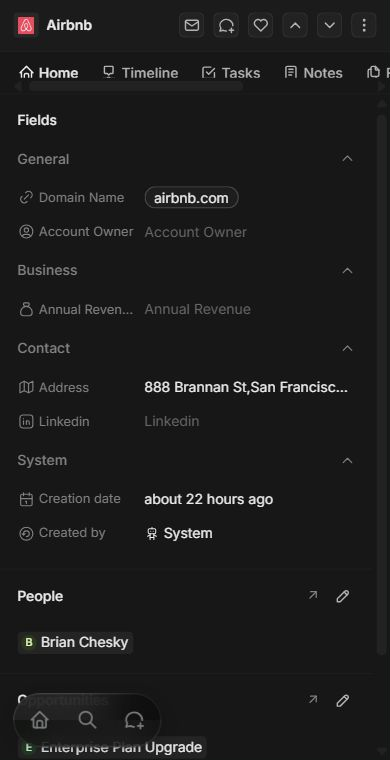
People & companies, linked.
An owner and a next step.
02 / Sales and follow-ups
See which enquiries are new, which have a quote and which need a reply. Assign someone to each sale and add a task with a due date.
Tell us how you handle enquiries03 / Repeated admin
Capture an enquiry, save the details in your CRM and set a follow-up task. We agree the steps and connections with you before setting it up.
04 / Getting started
You don’t need to work it all out yourself. We help move your existing records, set up your sales stages and walk your team through everyday tasks.
Tell us what you use todayEstimate your impact
Explore the time your team spends updating records and tracking follow-ups.
Time released per month
Monthly value of that time
Example inputs, not a forecast. Adjust them to your business. Time value is not a cash saving and excludes our fees.
People × weekly hours × 52 ÷ 12 × your chosen reduction gives monthly hours. Multiplying by your hourly value gives the value of that time. The reduction is your assumption, not a measured service result. This does not estimate sales, search rankings or return on investment.
05 / Pricing
One-off
Scoped quote
Get your records and team ready to use the CRM.
Ongoing
Monthly quote
Browser access with an agreed hosting and support plan.
We quote setup and ongoing costs separately, based on your team, data and connections. We agree what’s included before work starts. An enquiry is not a subscription or payment.
A few useful details
We assess your export and agree what can be moved. Contacts, companies and opportunities come first; history and attachments may need separate work. Please don’t send customer data through the enquiry form.
No. We arrange hosting within the agreed service. Your team signs in through a browser. Hosting location, backups and responsibilities are confirmed before launch.
We quote setup and ongoing service separately, based on your team, data and connections. An enquiry starts a conversation, not a subscription.
Your team signs in through a browser. Core records work on smaller screens; wide tables and sales boards may need sideways scrolling.
We agree a timeline after checking your data, team size and connections. You review a sample import before the full move.
We agree which records and formats can be exported before you sign up, including any limits around history and attachments.
It’s our managed service built on Twenty’s open-source CRM, not an official Twenty offering. Applicable source code and notices remain available. Features, integrations and data export arrangements are agreed before you start.
A small first step
Tell us what you use now and what you’d like to make easier.
Create a projectJust an enquiry. No payment or commitment.